


How do I connect my phone via Bluetooth® in a 2026 Mitsubishi Outlander near South Elgin, IL?
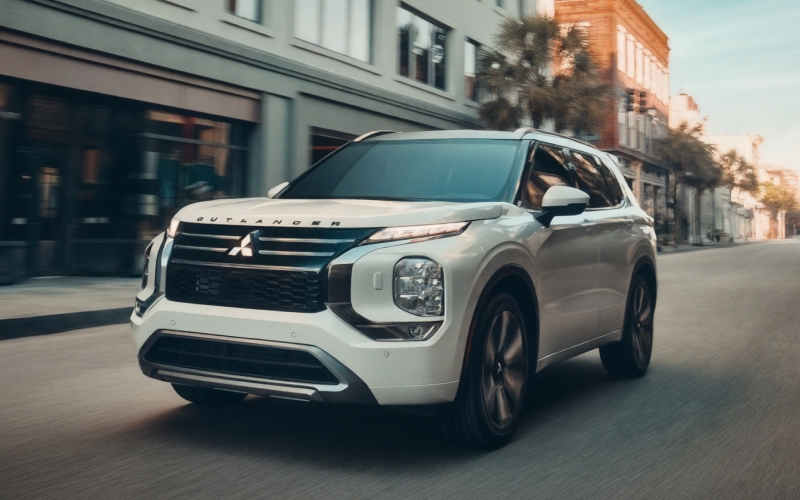
Biggers Mitsubishi – How do I connect my phone via Bluetooth® in a 2026 Mitsubishi Outlander near South Elgin, IL?
Connecting your phone seamlessly is one of those everyday details that make a new SUV feel instantly familiar, and the 2026 Mitsubishi Outlander is built to make that happen quickly. If you drive around South Elgin and Elgin, you already know how important hands-free calling and navigation cues are on Randall Road, McLean Blvd, or the I-90 ramps—our team at Biggers Mitsubishi will walk you through Bluetooth® pairing and wireless smartphone integration so you can enjoy your drive without the hassle.
Below, we explain step-by-step pairing in the 2026 Outlander, how to use Wireless Apple CarPlay® and Wireless Google Android Auto™, and the small setup choices that make a big difference day to day—like contact sync permissions, audio source selection, and prioritizing the right phone when multiple devices are in the vehicle.
Why Bluetooth® setup matters around South Elgin
Between Panton Mill Park events, school pickup lines, and quick Target runs off Randall Road, being able to place a call or start a playlist without fumbling through menus is more than a convenience—it is a safety and compliance issue. Illinois’ hands-free law prohibits holding a phone while driving, so pairing your device in the 2026 Outlander helps you keep eyes up and hands on the wheel while still accessing the essentials.
The good news is that the Outlander makes it straightforward. Most trims feature a 12.3-inch Smartphone-link Display Audio with Navigation, and Wireless Apple CarPlay® and Wireless Google Android Auto™ are standard. Pair once, grant the right permissions, and the SUV will remember your device for future drives around South Elgin and beyond.
Step-by-step: First-time Bluetooth® pairing in the 2026 Outlander
- Park safely and power on the Outlander.
- Open your phone’s Bluetooth settings and make your device discoverable.
- On the Outlander’s center screen, open Settings, then Bluetooth, then Add Device or Pair New Device.
- On your phone, select the vehicle’s name when it appears—often shown as MITSUBISHI MOTORS or Outlander.
- Confirm the on-screen PIN matches on both the phone and the vehicle display and accept the pairing request.
- Grant permission to sync contacts, favorites, and messages if you want hands-free calling and messaging.
- Set your device as the preferred or priority phone if you will be the main driver.
- Select Bluetooth or your phone’s name as the audio source to stream music or podcasts.
Once this initial connection is complete, the Outlander will typically reconnect automatically when you start the vehicle—no extra taps required. If you also use Wireless Apple CarPlay® or Wireless Google Android Auto™, the next section has quick setup tips to keep everything seamless.
Using Wireless Apple CarPlay® and Wireless Google Android Auto™
The 2026 Outlander supports wireless smartphone integration, which means no cable clutter—perfect when your hands are full after a Costco run or youth soccer practice. Here is how to get it working the first time:
- iPhone users: Enable Bluetooth and Wi-Fi, then accept the Apple CarPlay® prompt on the vehicle screen and on your iPhone. Choose Allow for CarPlay while locked so you do not have to unlock your phone at every start.
- Android users: Make sure Bluetooth and Wi-Fi are enabled and launch the Android Auto™ app if the phone requests it. Approve all prompts for Nearby Devices and Contacts permissions so calls, messages, and audio work properly.
- Audio clarity: Outlander’s Dynamic Sound Yamaha® Premium or available Dynamic Sound Yamaha® Ultimate system will faithfully reproduce your playlists and podcasts. Features like Speed Compensated Volume help keep the dialog clear as road noise changes, which is especially helpful on I-90 or IL-31.
If you prefer USB, you can still connect via cable for charging and data. Wireless or wired, both paths give you mapping, calls, messaging, and streaming with familiar on-screen icons.
Troubleshooting pairing hiccups
Technology moves quickly, and a minor setting can keep things from connecting as expected. If you run into anything unusual in your Outlander, try these practical fixes first:
- Restart both devices: Power-cycle your phone and turn the vehicle off and back on.
- Forget and re-pair: On the vehicle screen, delete the old phone entry; on your phone, forget the vehicle. Pair again from scratch.
- Check permissions: Ensure Contacts, Calls, and Messages are allowed for Bluetooth on your phone. iPhone users—toggle Show Notifications for the vehicle connection. Android users—enable Nearby Devices and Contacts access for Android Auto™.
- Update software: Install available updates for your phone’s OS and, if prompted, the Outlander’s multimedia system.
- Disable conflicts: Temporarily turn off a personal hotspot or VPN during first-time setup—they can interfere with wireless CarPlay® or Android Auto™ discovery.
- USB alternative: Connect by USB once to establish trust, then unplug and try wireless again.
If you have a unique phone model or persistent issue, stop by our showroom in Elgin. Our delivery specialists pair devices for South Elgin owners every day—we can usually pinpoint the setting in just a few minutes.
Make everyday driving simpler after you pair
Once your phone is connected in the 2026 Outlander, take advantage of built-in conveniences that make local driving calmer and more intuitive:
- Steering wheel controls: Use the voice command button to place calls, dictate messages, or launch routes without taking your hands off the wheel.
- Smart audio handoffs: If multiple paired phones are in the cabin, set a priority device so the right playlist starts automatically when you head down Randall Road.
- Clear calls on the move: The microphone placement and Yamaha® audio tuning help keep phone conversations natural, ideal for quick check-ins while merging onto I-90.
- Parking ease: When you ease into a spot at Panton Mill Park, the audio can continue quietly while the available Multi-View Camera System provides a crisp surround view.
Because Wireless Apple CarPlay® and Wireless Google Android Auto™ are standard, you can rely on your favorite apps to stay consistent between routines—morning school drop-off, weekend hikes along the Fox River, or errands up to the Elgin shops.
Privacy and data tips you control
Your information stays in your hands. When pairing, choose whether to sync contacts and messages—those permissions can be adjusted anytime in your phone’s Bluetooth settings. If you plan to sell or trade later, you can remove your device and clear personal data from the infotainment system’s settings menu. And if you want app-based remote conveniences, the Outlander includes Mitsubishi Connect with Safeguard and Remote Services and a 24-month free trial—just enroll through the mobile app to enable features.
For families who regularly swap drivers, consider pairing multiple phones and setting a clear order of priority. That way, the Outlander will automatically choose the correct device for calls and audio, even when everyone loads in at once after a South Elgin soccer game.
Our team can also help you tailor alert settings, notification behavior, and text readouts to your preferences, so you are not overwhelmed with pop-ups while navigating busy portions of IL-31 or the US-20 interchange.
Whether you are coming from an older vehicle or moving from wired to wireless, the Outlander’s system is designed to reduce taps and distractions once the basics are in place. If anything feels unfamiliar, a quick in-person demo often clears it up.
Finally, remember that signal quality can vary by device and carrier. If you notice intermittent drops in a specific stretch of road, that is often a cellular coverage issue rather than a vehicle system concern—Bluetooth® calls work best when your phone has a strong signal to your carrier network.
If you would like a personalized setup, we are happy to pair your phone, verify call and text functionality, demonstrate Wireless Apple CarPlay® or Wireless Google Android Auto™, and make sure your favorite streaming app sounds outstanding through the available Dynamic Sound Yamaha® Ultimate system.
Frequently Asked Questions:
Does the 2026 Mitsubishi Outlander support Wireless Apple CarPlay® and Wireless Google Android Auto™?
Yes. Wireless Apple CarPlay® and Wireless Google Android Auto™ are standard on the 2026 Outlander, so you can leave cables in the console and have your apps appear as soon as you start the SUV.
Can I pair more than one phone with the 2026 Outlander?
Yes. You can pair multiple phones and set a priority device so the right one connects first. Typically, only one phone can be active for calls at a time, but you can switch devices in the Bluetooth menu when needed.
Do I need a data plan for Bluetooth® and smartphone integration?
Bluetooth® calling does not require extra data beyond your normal phone plan. Map updates, streaming music, and some app features use your phone’s cellular data. Wireless Apple CarPlay® and Wireless Google Android Auto™ rely on your phone’s connection rather than an embedded vehicle plan.
What if I trade in or sell my Outlander—how do I remove my information?
Open the infotainment settings, delete any paired devices, and select the option to clear personal data if available. Our team can do this for you at Biggers Mitsubishi during appraisal or delivery.
Who can help me if pairing still will not work?
Visit us at Biggers Mitsubishi in Elgin, and we will pair your device, confirm permissions, and test calls and apps. We help South Elgin drivers with this every day and can usually resolve issues quickly.
If you are shopping the 2026 Mitsubishi Outlander near South Elgin, we are ready to set up your phone, personalize your screen layout, and make sure your first drive home is as connected and confidence-inspiring as you expect. Stop by for a test drive and a quick Bluetooth® demo—we will handle the details so you can enjoy the drive.
0 comment(s) so far on How do I connect my phone via Bluetooth® in a 2026 Mitsubishi Outlander near South Elgin, IL?